

FREE TRIAL · PREMIERE PRO
Try TextWing free.
3 minutes of captions, 7 days, no card. One download for the trial and the full version.
Premiere Pro 2025 (25.6) or newer · Windows 10/11 · See prices
WHAT THE TRIAL GIVES YOU
- 3 minof audio turned into captions
- 7 daysfrom the first start
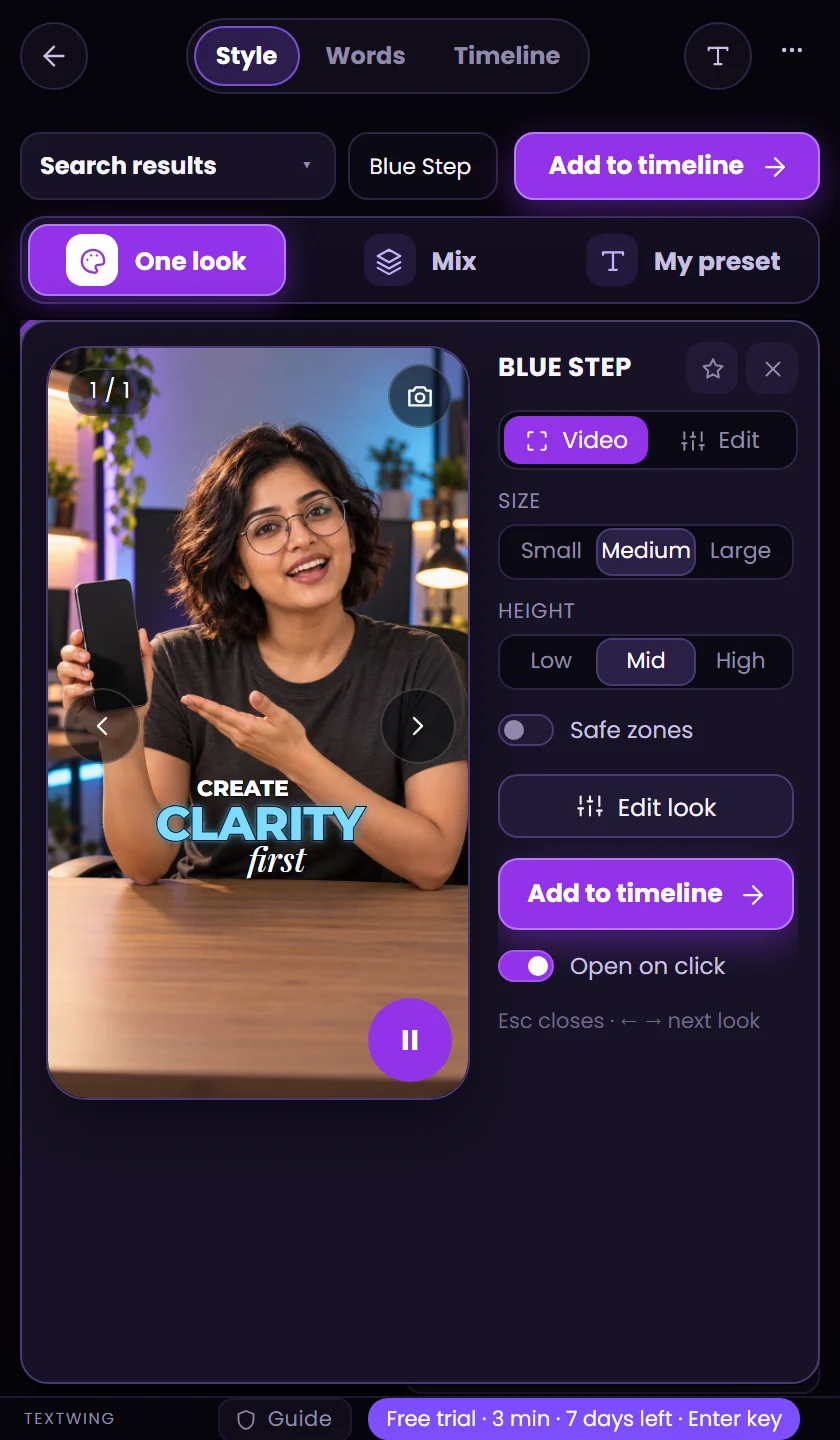
- 9 lookson your timeline. Every look in the preview
- No cardand nothing to cancel
FOUR STEPS
From download to captions.
- 01
Download and double-click
Unzip the file and double-click the .ccx. Creative Cloud opens and asks to confirm, as it does for every plugin from outside Adobe's marketplace. Click Install.
- 02
Open it in Premiere Pro
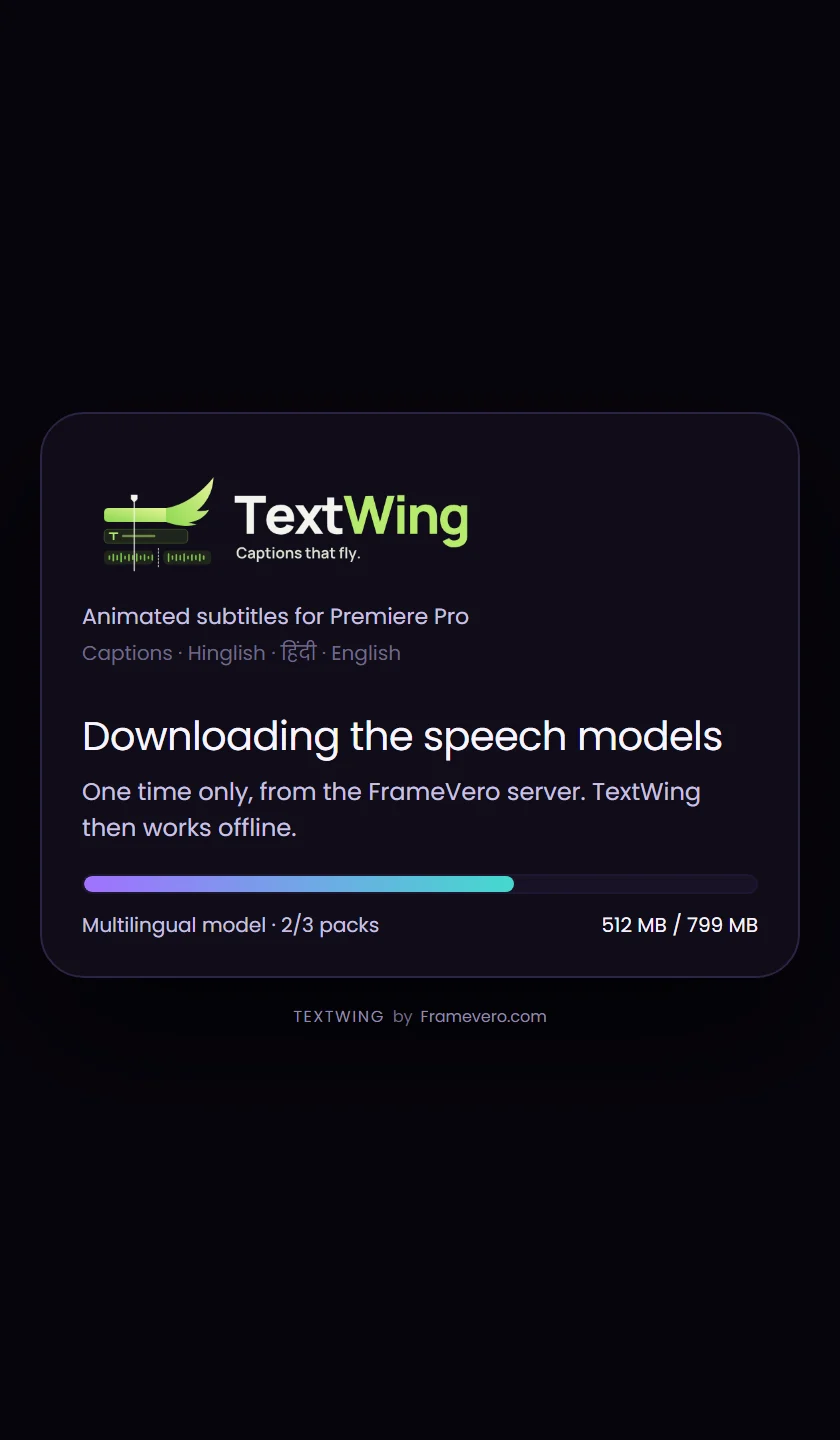
Window › UXP Plugins › TextWing. The first start fetches the speech models once: about 0.8 GB, or 5 GB with Hindi and Indian languages. Keep Premiere open until the bar is full.
- 03
Make captions
Press Generate, check the words, pick a look, Add to timeline. Captions land as real text layers. The pill at the bottom shows what is left of the trial.
- 04
Activate with your key
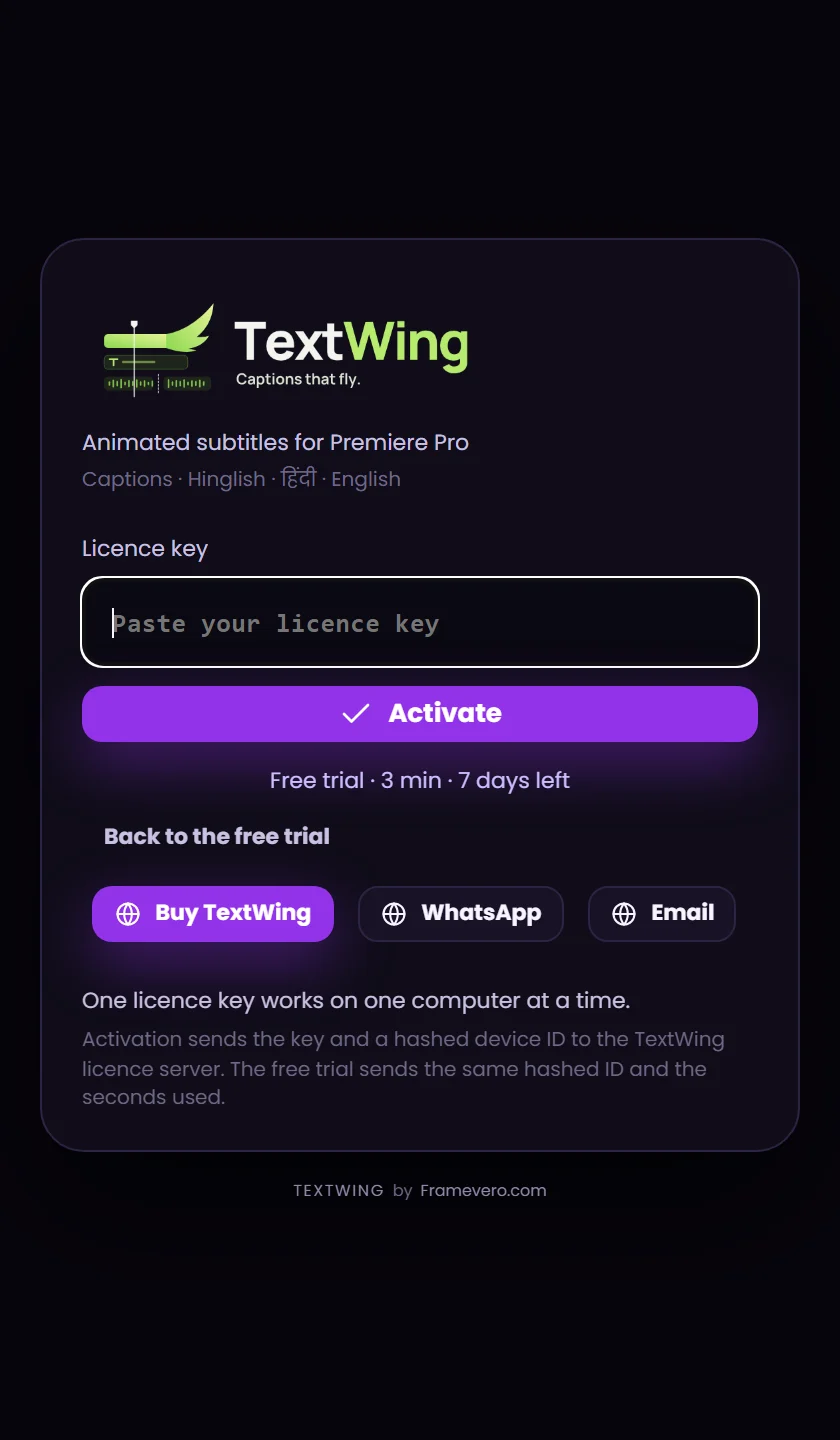
Bought TextWing? Click Enter key on the pill, paste your key, press Activate. Same install, nothing new to download.
ALREADY BOUGHT IT?
Activate with your key.
- Install TextWing from this page, the same file as the trial.
- Click Enter key at the bottom of the panel, or Settings › License.
- Paste the key from your thank-you page and press Activate.
One key, one computer. Need help? WhatsApp or varun@framevero.com.
SYSTEM REQUIREMENTS
What you need.
- System
- Windows 10 or 11, 64-bit. Mac: coming soon.
- Premiere Pro
- 2025 (version 25.6) or newer
- Installer
- Adobe Creative Cloud desktop app
- Disk
- About 3 GB free. With Hindi and Indian languages, about 11 GB while it sets up (6 GB after).
- Graphics
- Any. An NVIDIA card makes captions faster (+0.4 GB once).
- Internet
- For the first start and during the trial. A paid key also works offline.
QUESTIONS
Before you install.
Is my footage uploaded?
No. Speech is turned into captions on your own computer. The trial sends a hashed computer ID and the seconds used, nothing else.
Does reinstalling reset the trial?
No. The trial belongs to the computer, so reinstalling keeps the minutes you used.
What does a key add?
Everything: every look, Mix, Titles, Isolate voice and Cut silence, with no minute limit. One key works on one computer.
Where is my key after I pay?
On the thank-you page right after payment. Lost it? Message us with your payment email.
Moving to a new computer?
In TextWing open Settings › License › Release this computer, then activate the key on the new one.
TextWing does not show up in Premiere.
Restart Premiere Pro after installing. Still nothing? Send us a screenshot on WhatsApp.